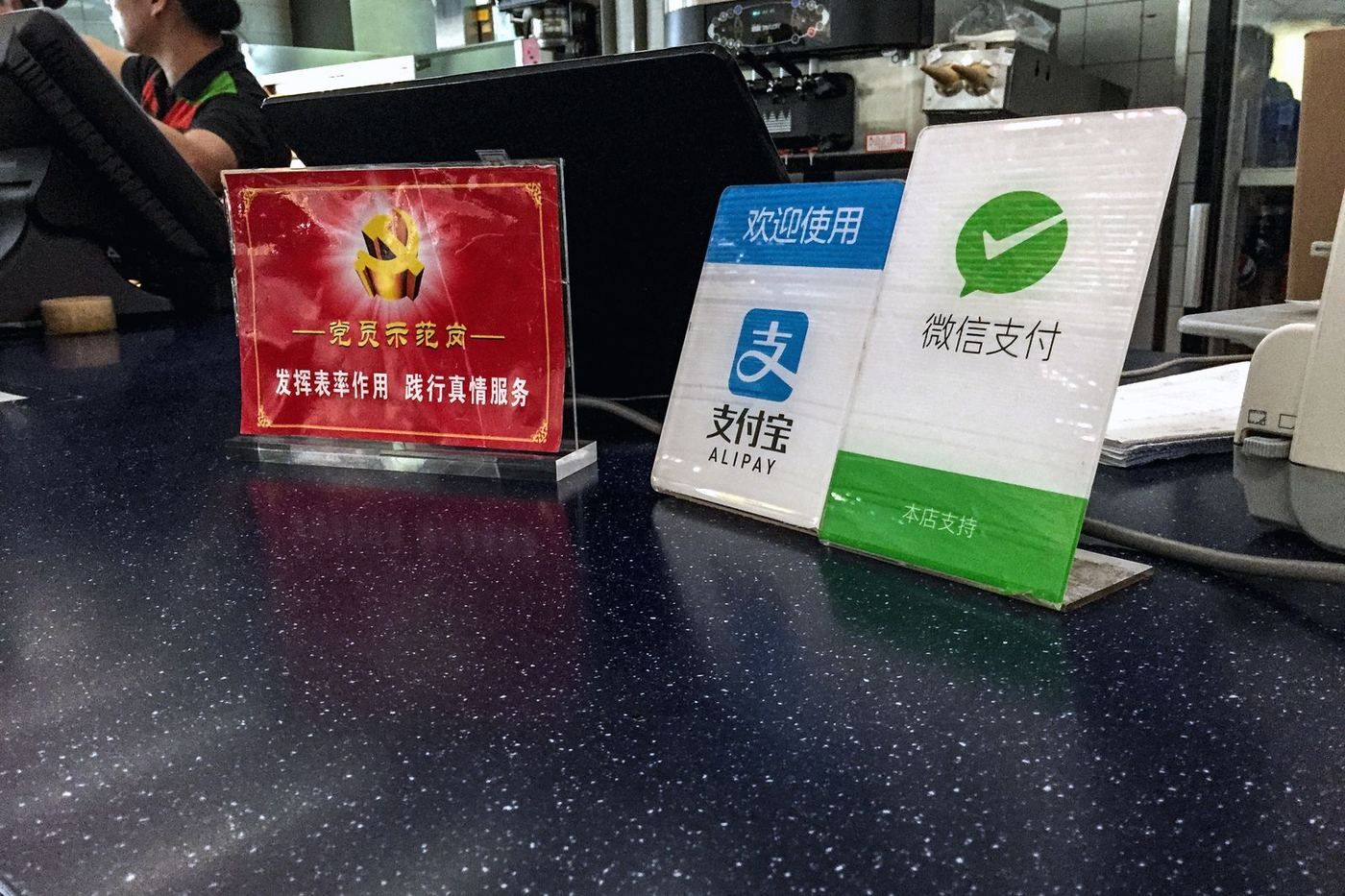
Short answer: Partly. Google Pay is not a usable way to pay in mainland China: Google does not support Wallet tap-to-pay there, and shops use Alipay or WeChat Pay QR codes instead. Verified 30 October 2026.
| On Chinese networks (local SIM, hotel Wi-Fi) | Patchy |
|---|---|
| On a travel eSIM or roaming | Blocked |
| Local alternative | Alipay, WeChat |
Mainland China is not on Google's list of Google Wallet countries (Hong Kong, Taiwan and Macau are), and Android phones sold abroad lose Google services on Chinese networks anyway. Merchants take Alipay or WeChat Pay QR codes, so a travel eSIM does not fix it. Cards saved in Google Wallet won't work at Chinese terminals, so link your Visa, Mastercard or Amex to Alipay (Tour Pass) or WeChat Pay before you arrive.
What this means for your trip
Is Google Pay blocked in China?
Partly. Google Pay is not a usable way to pay in mainland China: Google does not support Wallet tap-to-pay there, and shops use Alipay or WeChat Pay QR codes instead. What you can do depends on the feature and the network you are on, so test it before you rely on it.
Does Google Pay work with an eSIM or roaming?
Google Pay does not work even on a travel eSIM or roaming.
The simplest fix for visitors is a travel eSIM set up before you fly: see the best eSIM for China, or go straight to Airalo's China plans (affiliate link). Hotel and café Wi-Fi use Chinese networks, so switch Wi-Fi off when you need Google Pay.
What can you use instead of Google Pay in China?
Plan a backup in case Google Pay will not load. Locals use Alipay, WeChat.
How do I get Google Pay before I fly?
Install Google Pay and sign in before you fly, and set up your travel eSIM at the same time. Google Play does not work on Chinese networks, so do not leave downloads for when you land. Get it from the official site, pay.google.com, or your phone's app store. Then open the app once at home to check it runs. Our list of apps to install before you fly shows the order to do it in.
Blocked status follows Freedom House's Freedom on the Net 2025; you can test any site yourself on GreatFire.org, which checks access from inside China every day. Full picture: Internet in China and the apps to install before you fly.
FAQ
Is Google Pay blocked in China?
Partly. Google Pay is not a usable way to pay in mainland China: Google does not support Wallet tap-to-pay there, and shops use Alipay or WeChat Pay QR codes instead.
Does Google Pay work with an eSIM or roaming in China?
Google Pay does not work even on a travel eSIM or roaming.
How do I use Google Pay in China?
Google Pay does not work even on a travel eSIM or roaming.
What do people in China use instead of Google Pay?
Alipay, WeChat.
How do I get Google Pay before I fly to China?
Install Google Pay and sign in before you fly, and set up your travel eSIM at the same time. Google Play does not work on Chinese networks, so do not leave downloads for when you land.
What should I use instead of Google Pay in China?
Set up Alipay or WeChat Pay with a foreign Visa, Mastercard or Amex card, and keep a little cash as backup.
Can I tap my Android phone at Chinese shops?
Not reliably. Most shops are set up for QR codes, and Google Wallet does not support mainland China, so don't count on tap-to-pay.
Does it work in China? More apps
- Does Alipay work in China? Works on Chinese networks
- Does Apple Pay work in China? Patchy on Chinese networks
- Does PayPal work in China? Patchy on Chinese networks
- Does Revolut work in China? Patchy on Chinese networks
- Does Wise work in China? Patchy on Chinese networks
- Does LinkedIn work in China? Patchy on Chinese networks
Next steps for your trip
Last verified 30 October 2026. Official site: https://pay.google.com. Sources: [1] [2] [3] . Access can change without notice; tell us if you see something different.
Free China trip checklist + visa rule alerts
We email you only when the rules for your passport change, plus a printable China trip checklist (PDF) right now. No spam, unsubscribe any time.
Almost done: check your inbox and tap the confirm link (look in spam if it isn't there).
Last updated
 WhatsApp: scan with your phone
 WeChat: scan, or save and open in WeChat