
On this page
Short answer: We have not confirmed whether a foreign visitor can book a robotaxi (such as Apollo Go) in Guangzhou, so we won’t promise it. Official Guangzhou information lists Apollo Go service in Guangzhou Science City, and the service covers only parts of the city. Reports from travellers are mixed: the app asks for identity verification, and foreign passports are often a sticking point. Check the points below on your own phone before you rely on it. For getting around, use the Didi guide as your main plan and treat a robotaxi as an extra to try if it works for you.
Before you start
- Your phone with data. Install a travel eSIM before you fly.
- A payment method that works in China. Set up Alipay or WeChat Pay with your foreign card first.
- Your destination in Chinese. Copy the name and address from your booking or map.
- A backup. Keep Didi installed. See the Didi guide.
What we know, and what we don’t
- Known: robotaxis are a separate service from normal taxis and ride-hailing. They have their own app or booking screen and their own service areas.
- Known (official source): Official Guangzhou information lists Apollo Go service in Guangzhou Science City, bookable through the 萝卜快跑 app or WeChat mini program. Service areas and availability can change, so confirm them in the booking screen. Source: Guangzhou municipal government (eguangzhou.gov.cn).
- Known: Apollo Go service covers only parts of Beijing, Guangzhou, Wuhan, Chongqing and Shenzhen. It is not citywide.
- Known: some rides have a safety operator on board, so the car may not be fully empty.
- Known: service may be suspended in extreme weather. Have a backup ready on rainy or stormy days.
- Reported by travellers: the app requires identity verification before you can book. Some say a passport is accepted, others say foreign passports are not accepted or need manual review, and the picture seems to differ by city. Treat this as unsettled.
- Not confirmed by us: the hours, the prices, whether an international number can register, and whether foreign cards or Alipay and WeChat Pay work for the fare. Check before you go.
The right app
- China app (iPhone): on the Apple App Store it is listed as 萝卜快跑-自动驾驶出行服务平台 (Apollo Go in Chinese). Official listing: App Store. This listing is in the China App Store, so it may not show up if your account is set to another country.
- Google Play: the Apollo Go listing there is for service in the UAE. It does not show that the service is available in Guangzhou, so don’t rely on it for a Guangzhou ride.
- Android in China: the app is also listed in Chinese Android app stores, with the official developer shown on the listing page. Check that developer name before you install, and avoid APK files from other sites.
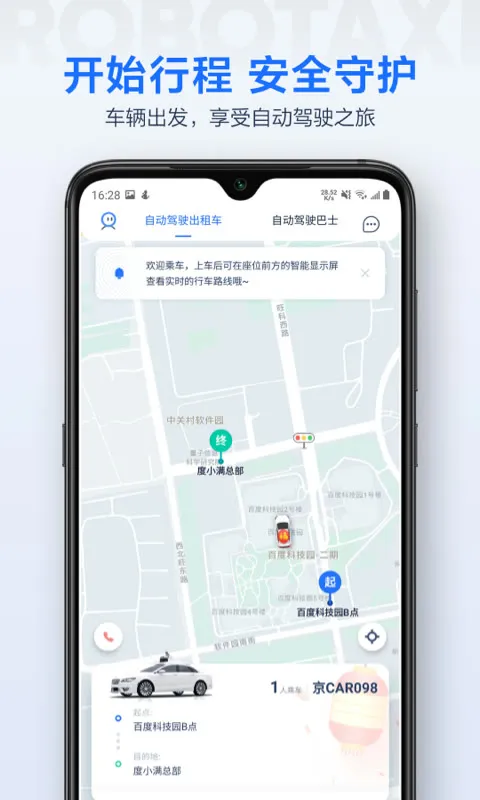 The Apollo Go Android listing in a Chinese app store. Look for the official developer details.
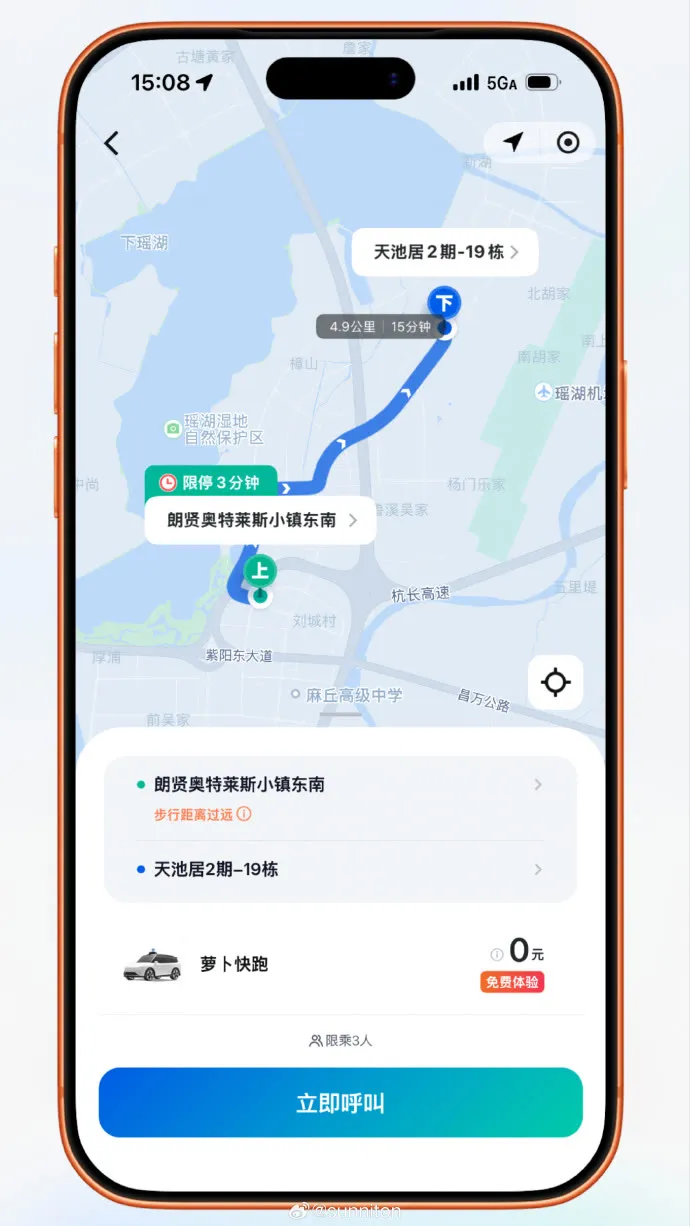
- WeChat mini program: the official Guangzhou source also mentions a WeChat mini program. Apollo Go has said its official channels include a WeChat mini program named 萝卜快跑, so search for that name inside WeChat and check that the operator is the official one. This route works without installing anything extra. Don’t use look-alike apps or sites; Apollo Go has warned about fake ones.
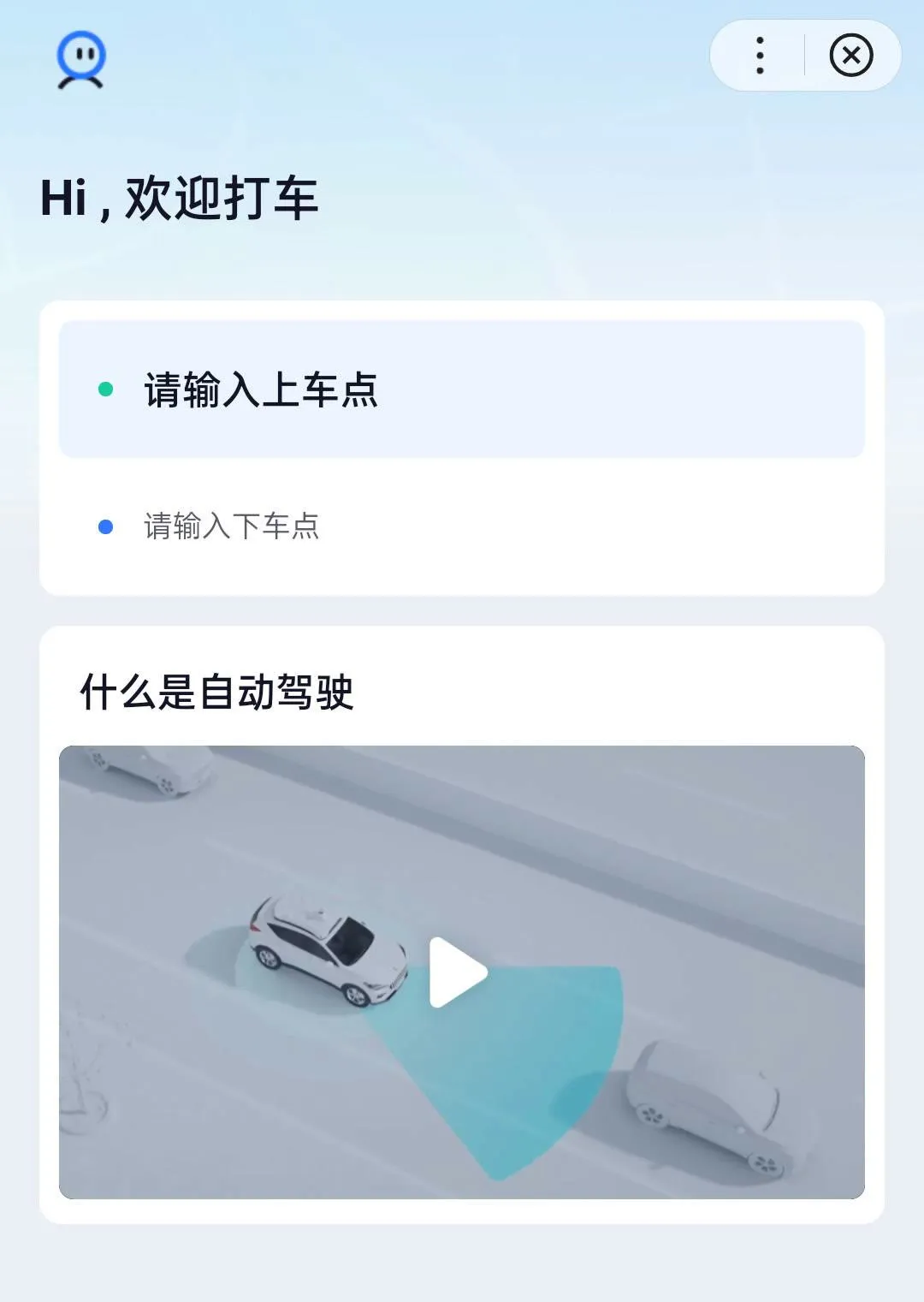
Step by step
This is a checklist, not a confirmed route. Screens may differ from what is described.
- Find the official app. Use the 萝卜快跑-自动驾驶出行服务平台 listing linked above, or the WeChat mini program. Do not use look-alike apps or agency sites.
- Register. See whether it accepts an international phone number and a passport. If it asks for a Chinese ID or number only, stop and use Didi.
- Check the service area. Put your pickup and drop-off in the app. Start with Guangzhou Science City. If it says the area is out of range, it is not available there.
- Pay. Check which payment methods the app offers. Alipay and WeChat Pay are the likely options, but we can’t confirm that a foreign card linked to them works here.
- Meet the car. Find the pickup point shown in the app and follow its on-screen instructions. The app is in Chinese, so keep a translation app ready.
If it doesn’t work
| Problem | Why | Fix |
|---|---|---|
| Can’t register | The app may need a Chinese number or ID | Use Didi instead: Didi guide |
| No cars show up | Your pickup or drop-off may be outside the service area | Move the pin, or use another ride option |
| Service unavailable in bad weather | Service may be suspended in extreme weather | Switch to Didi or a normal taxi |
| Payment fails | The app may not accept your method | Try another method in the app, or switch to Didi |
| App is in Chinese only | Not every service has English | Use a translation app, or switch to Didi |
| Can’t find the app | The China App Store listing may be hidden from other regions | Try the WeChat mini program, or switch to Didi |
FAQ
Can tourists ride robotaxis in China?
We can’t say yes or no for foreign visitors yet. Apollo Go service is officially listed in Guangzhou Science City, and it covers only parts of a few cities. Sign-up rules for foreign passports are not confirmed, and traveller reports differ. Test it before you plan around it.
Which Chinese cities have Apollo Go?
Parts of Beijing, Guangzhou, Wuhan, Chongqing and Shenzhen. Only parts, not whole cities.
Is there a driver?
Some rides have a safety operator on board. Others may not. The app is where to check.
Do I need a Chinese phone number?
Not confirmed. The app asks for identity verification, so check during registration.
Is it cheaper than Didi?
Not confirmed. Compare the price shown in each app before you book.
What should I use if I just need a ride?
Use Didi or a normal taxi. Our Didi guide covers it step by step.
Still stuck?
Do it yourself with the steps above — or get help from a real person.
Sources: Guangzhou municipal government; 萝卜快跑-自动驾驶出行服务平台 on the Apple App Store. Some links on this site are affiliate links — see our disclosure.Free China trip checklist + visa rule alerts
We email you only when the rules for your passport change, plus a printable China trip checklist (PDF) right now. No spam, unsubscribe any time.
Almost done: check your inbox and tap the confirm link (look in spam if it isn't there).
Last updated
 WhatsApp: scan with your phone
 WeChat: scan, or save and open in WeChat