
On this page
- What a China eSIM is (and isn’t)
- Before you start
- Which China eSIM should you buy?
- Step by step
- 1. Buy and install at home (iPhone)
- 2. Set it up for data
- 3. After you land
- If it doesn’t work
- FAQ
- Do I need a VPN if I have a China eSIM?
- Can I buy a China eSIM after I arrive?
- Do I get a Chinese phone number?
- Which phones work?
- Where can I find prices?
- Still stuck?
Short answer: A China eSIM is a digital SIM you buy online and install on your phone, with no plastic card. The useful kind uses a Chinese mobile network for signal but sends your data through a gateway outside mainland China. On mobile data, blocked apps like Google and WhatsApp can then work without a VPN. Buy and install it before you fly, and check that your plan actually routes data abroad.
What a China eSIM is (and isn’t)
- It is a travel data plan. You scan a QR code or tap an install button, and your phone gets a second line.
- It is not a VPN. A VPN runs on top of a normal Chinese connection. A roaming eSIM changes where your data exits. More on that in Do roaming eSIMs bypass the Great Firewall?
- It does not help on Wi-Fi. Hotel and café Wi-Fi are Chinese networks. The list of blocked apps follows Freedom House, Freedom on the Net 2025: China.
- Most plans are data-only. Many travel eSIMs, including Trip.com’s, come with no Chinese phone number and no SMS. Check your plan page.
Before you start
- A phone that supports eSIM, and unlocked. A carrier-locked phone can’t use another provider’s eSIM. Apple notes that iPhones sold for mainland China generally do not support eSIM. See Apple’s eSIM support page.
- Wi-Fi at home (or wherever you are before entering mainland China). Some providers require an internet connection to install or activate, so don’t count on doing it inside China.
- A plan that names a Chinese network (China Unicom, China Mobile and/or China Telecom) and says it routes traffic outside mainland China. Ask support if the page doesn’t say.
Which China eSIM should you buy?
Choose by trip length and how much you use your phone. Our full comparison, with plan sizes and prices, is in Best eSIM for China. The short version: roughly $4–20 for a short trip and $30–75 for a month. Prices change often, so compare on the day you buy.
Check these on the plan page:
- Daily cap. Many “unlimited” plans slow down after a daily limit. Read the fair-use line.
- Hotspot. Some plans restrict tethering.
- Top-ups in the app, so you don’t need a new eSIM if you run out.
- Refund policy if it doesn’t connect.
- Going to Hong Kong or Macau too? Look for a plan that covers all three.
One option many travellers use is Airalo (affiliate link — same price for you). Official site: airalo.com. The app is called Airalo: eSIM Travel & Internet (App Store; on Google Play, search for “Airalo”).
Another is Trip.com, whose eSIMs are covered in our Great Firewall eSIM guide. Official site: www.trip.com. The app is Trip.com: Book Flights, Hotels (App Store).
Step by step
1. Buy and install at home (iPhone)
- Buy the plan in the provider’s app or site, on Wi-Fi.
- Go to Settings > Cellular > Add eSIM. In some regions “Cellular” is called Mobile Data.
- Choose Use QR code, or follow the provider’s own install button if it has one.
- Scan the code and wait for activation.
- Tap Continue when setup is complete.
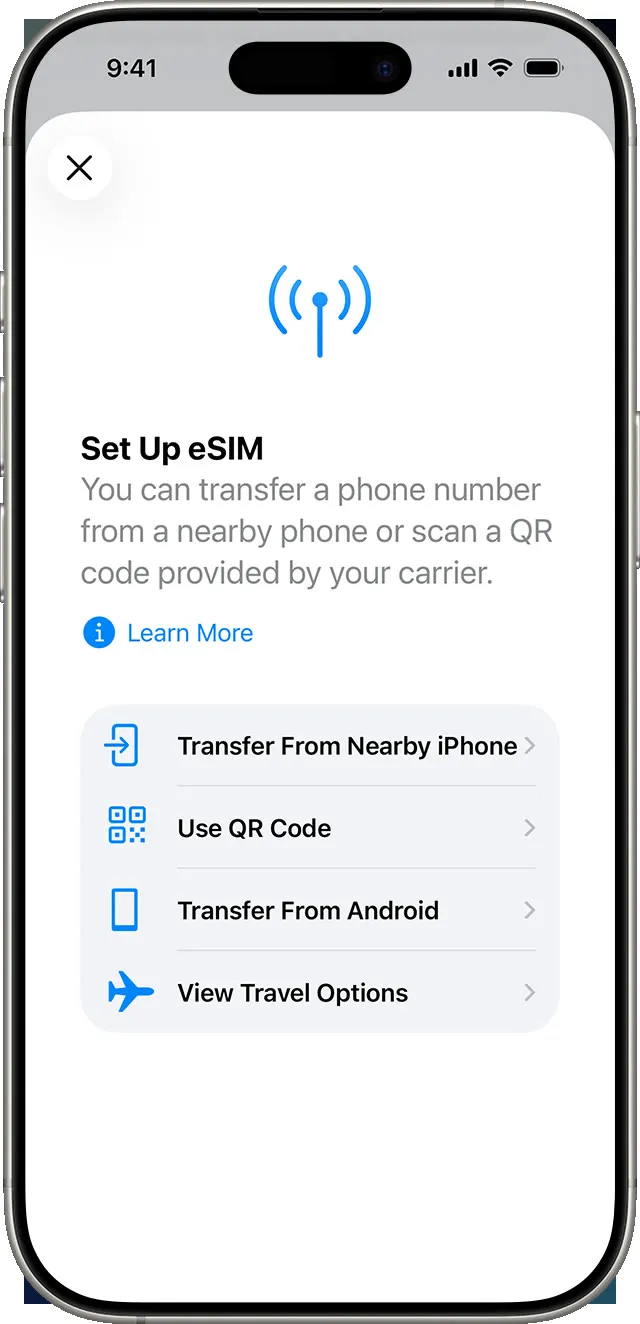
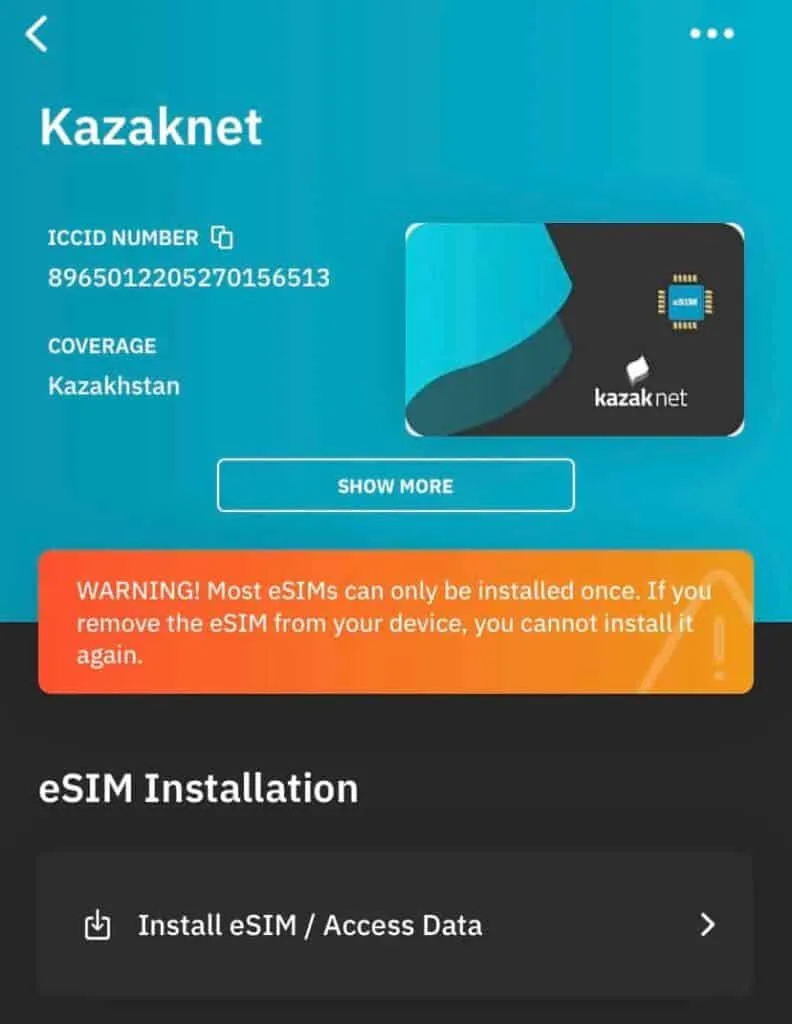
Menu wording can differ slightly between iOS versions. Many providers, Airalo included, also offer an install button in their app, so you may not need to scan anything.
On Android, menu names vary by brand (Pixel, Samsung and others). Follow your provider’s own install steps, or look for an eSIM or SIM manager option in your phone’s network settings.
2. Set it up for data
If you keep both lines on, the travel eSIM is used for mobile data. You might still pay roaming fees from your home line, so turn off data roaming on that one.
- In Settings > Cellular, tap the travel eSIM under SIMs (or Cellular Plans).
- Turn the line on and enable data roaming for it.
- Go back, tap Mobile Data (or Cellular Data) and select the travel eSIM as your data line.
3. After you land
- Turn Wi-Fi off when you need blocked apps. Wi-Fi is a Chinese network.
- Open Google Maps or WhatsApp on mobile data to check it works.
- If it doesn’t, see below.
If it doesn’t work
| Problem | Why | Fix |
|---|---|---|
| No signal | eSIM line is off or roaming is off | Turn the line on and enable data roaming for it |
| Signal, but Google/WhatsApp fail | Wi-Fi is on, or the plan doesn’t route data abroad | Turn Wi-Fi off. Ask the seller if the plan routes outside mainland China |
| Data got very slow | Daily cap reached (e.g. one plan drops to 384 kbps after 3 GB/day) | Wait for the next 24-hour period, or top up |
| Can’t download the eSIM in China | Some providers need a connection that works for install | Install at home before you fly |
| Phone won’t add an eSIM | Phone is locked or doesn’t support eSIM | Check with your carrier and Apple’s support page |
FAQ
Do I need a VPN if I have a China eSIM?
Not on mobile data, if your plan routes data abroad. On hotel or café Wi-Fi an eSIM does nothing, so you would need another way. See our VPN and eSIM comparison.
Can I buy a China eSIM after I arrive?
Maybe not. Many providers’ eSIMs can’t be downloaded once you’re inside mainland China. Buy before you fly.
Do I get a Chinese phone number?
Usually not. Travel eSIMs are often data-only.
Which phones work?
Apple notes that iPhones sold for mainland China generally do not support eSIM. Check your exact model and region variant first.
Where can I find prices?
In Best eSIM for China. Prices change, so check the plan page on the day you buy.
Still stuck?
Do it yourself with the steps above — or get help from a real person.
Sources: Apple eSIM support, Freedom House, Freedom on the Net 2025: China, Airalo, Trip.com. Some links are affiliate links — see our disclosure.Free China trip checklist + visa rule alerts
We email you only when the rules for your passport change, plus a printable China trip checklist (PDF) right now. No spam, unsubscribe any time.
Almost done: check your inbox and tap the confirm link (look in spam if it isn't there).
Last updated
 WhatsApp: scan with your phone
 WeChat: scan, or save and open in WeChat